CMake配置
1 启动Cmake项目支持自定义Path
./.vs/launch.vs.json
{
  "version": "0.2.1",
  "defaults": {},
  "configurations": [
    {
      "type": "default",
      "project": "CMakeLists.txt",
      "projectTarget": "",
      "name": "CAMSimulation",
      "env": {
        "PATH": "${env:PATH};D:\\ProgramFiles\\Qt\\6.8.4\\msvc2022_64\\bin;F:\\CPP\\VTK-9.5.2\\out\\build\\x64-Release\\bin"
      }
    }
  ]
}
完整参数说明可以看模板
C:\Users\HP\AppData\Local\Microsoft\VisualStudio\18.0_5a6c0b9e\OpenFolder
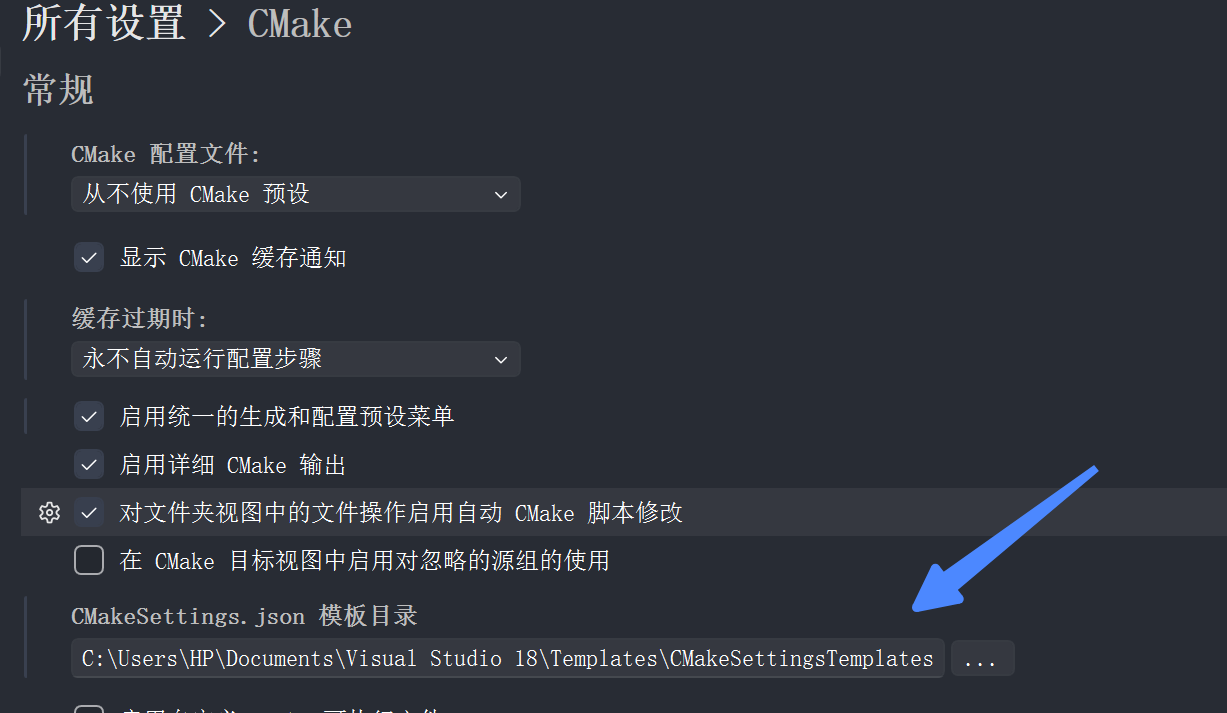
2 CMakeSettings.json 模板
提前设置模板后,不用每个项目都重新设置目录和配置。
{
  "configurations": [
    {
      "name": "x64-Release",
      "generator": "Ninja",
      "configurationType": "RelWithDebInfo",
      "buildRoot": "${projectDir}\\out\\build\\${name}",
      "installRoot": "${projectDir}\\out\\install\\${name}",
      "cmakeCommandArgs": "",
      "buildCommandArgs": "",
      "ctestCommandArgs": "",
      "inheritEnvironments": [ "msvc_x64_x64" ],
      "variables": [
        {
          "name": "Qt6_DIR",
          "value": "D:/ProgramFiles/Qt/6.8.4/msvc2022_64/lib/cmake/Qt6",
          "type": "PATH"
        },
        {
          "name": "VTK_DIR",
          "value": "F:/CPP/VTK-9.5.2/out/build/x64-Release/lib/cmake/vtk-9.5",
          "type": "PATH"
        }
      ]
    }
  ]
}