部署 Zensical
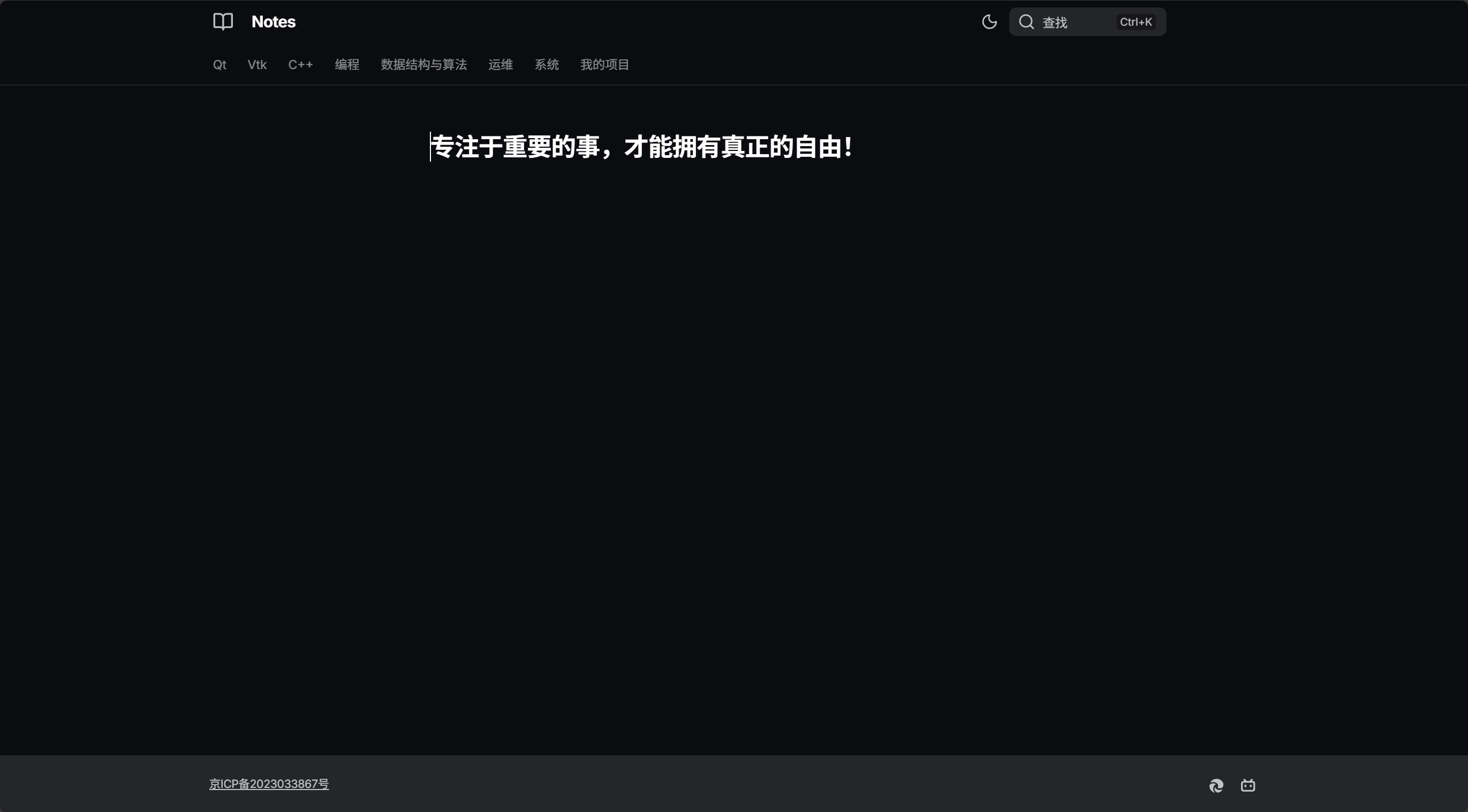
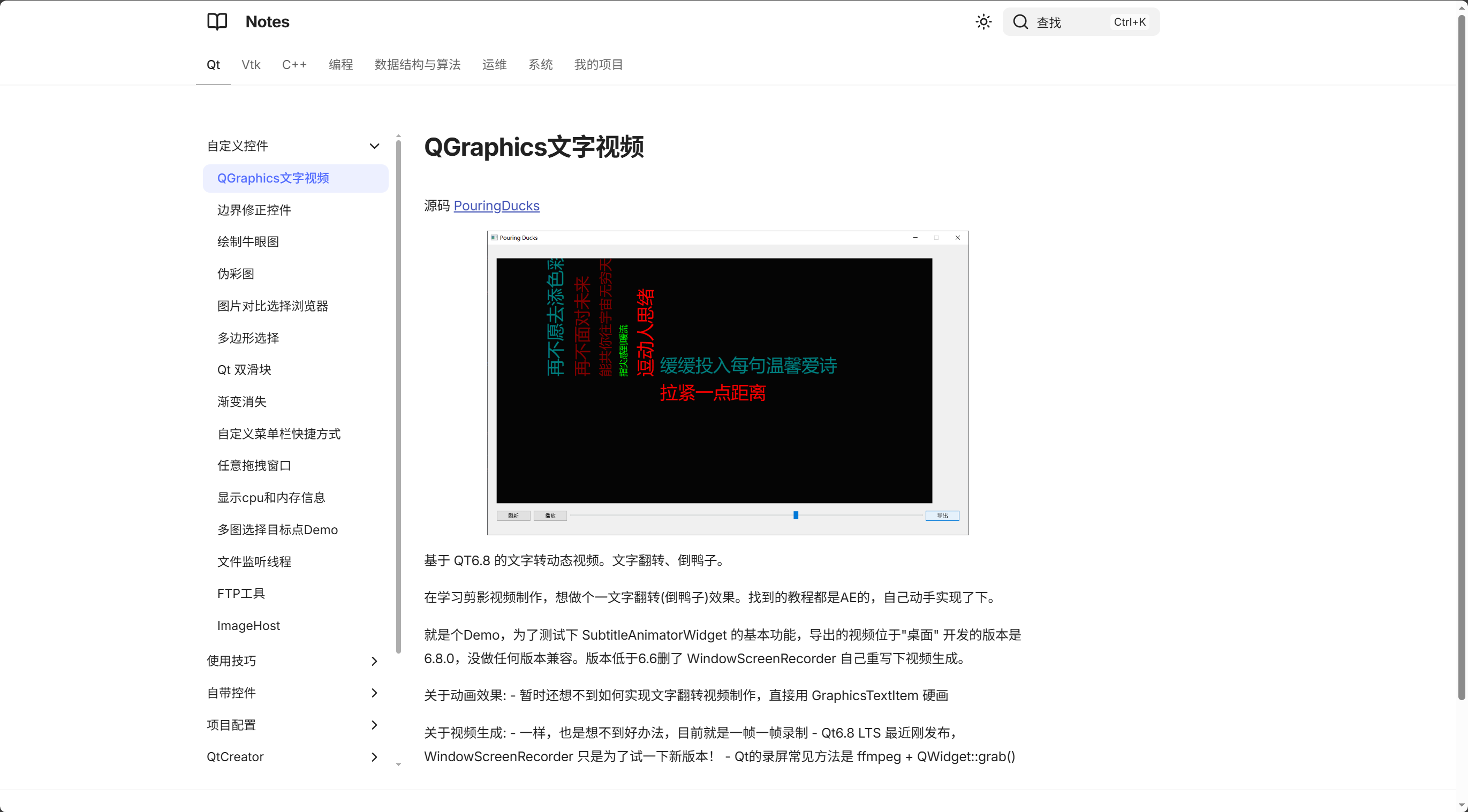
obsidian笔记,通过Zensical私有化部署。Zensical 是 Material for MkDocs 创建者开发的现代静态站点生成器,解决了很多 MKDocs 的痛点。使用对比后最明显的感觉就是更快的生成速度、全新的搜索引擎。
 |
 |
|---|---|
项目网址 Beyond欣 's Notes
1 使用 Zensical 创建笔记
1.1 测试 && 打包
1.2 文章顺序
静态站点文章顺序需要手动配置,格式如下。
[project]
nav = [
  {"Home" = "index.md"},
  {"About" = [
     "about/index.md",
     "about/vision.md",
     "about/team.md"
  ]}
]
1.3 自定义样式
追加 css 或者 js
.md-search {
    transform: translateX(160px);
}

.md-header__option[data-md-component="palette"] {
    transform: translateX(160px);
}
1.4 自定义主题
custom_dir 目录中的任何文件都会覆盖 Zensical 提供的同名模板和局部模板。
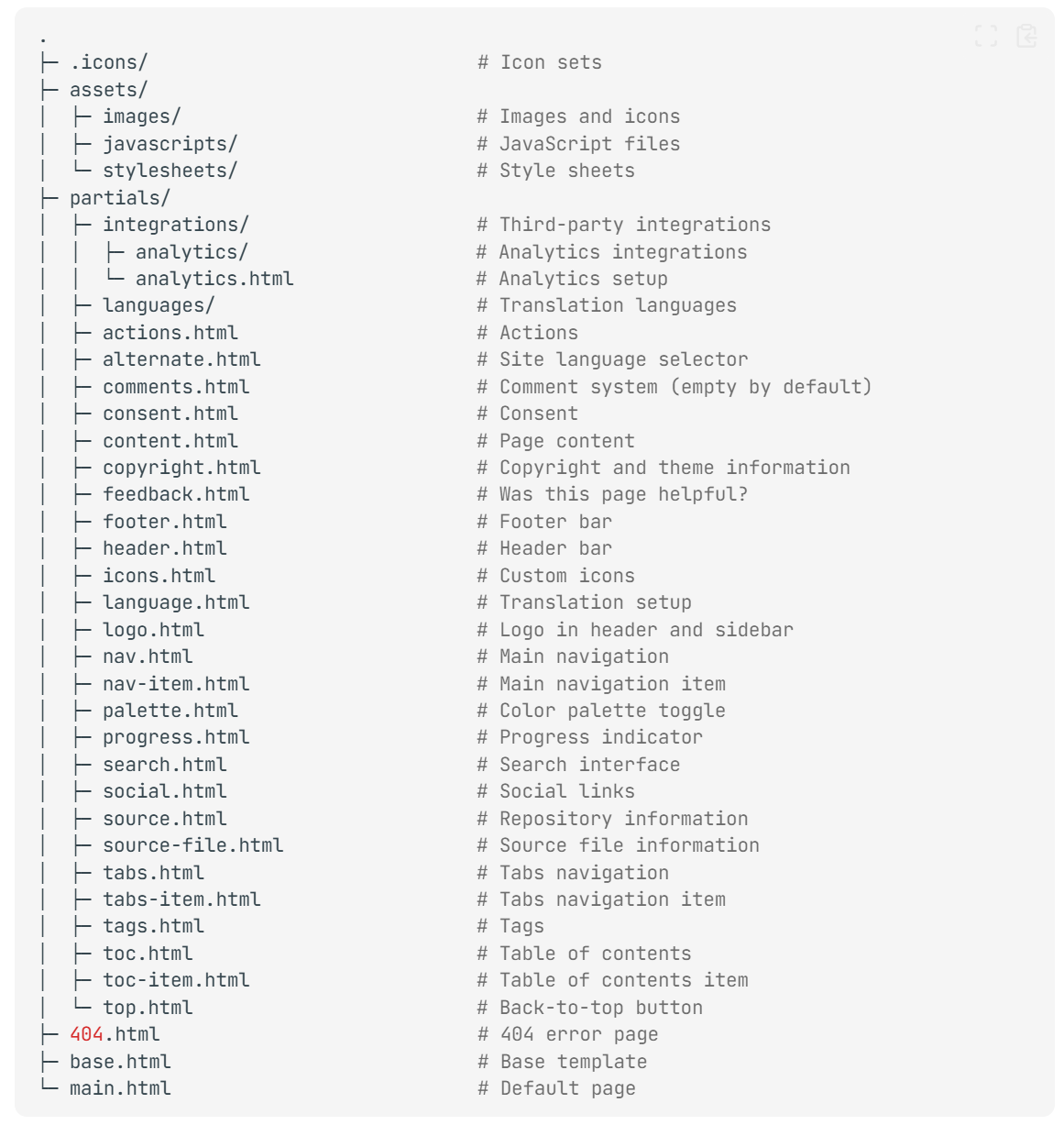
修改模板后必须清空缓存后 zensical serve 才能看到效果。 清空缓存可以用 zensical build --clean,或者手动删除 ./.cache/ 目录。
1.5 自定义模板
可以某些文章使用单独的格式,template 目录是相对于 custom_dir 的。
2 部署
2.1 Github Pages
- Github Pages
zensical new .生成的空白项目默认带Github Actions配置,会自动部署到Github Pages
2.2 服务器
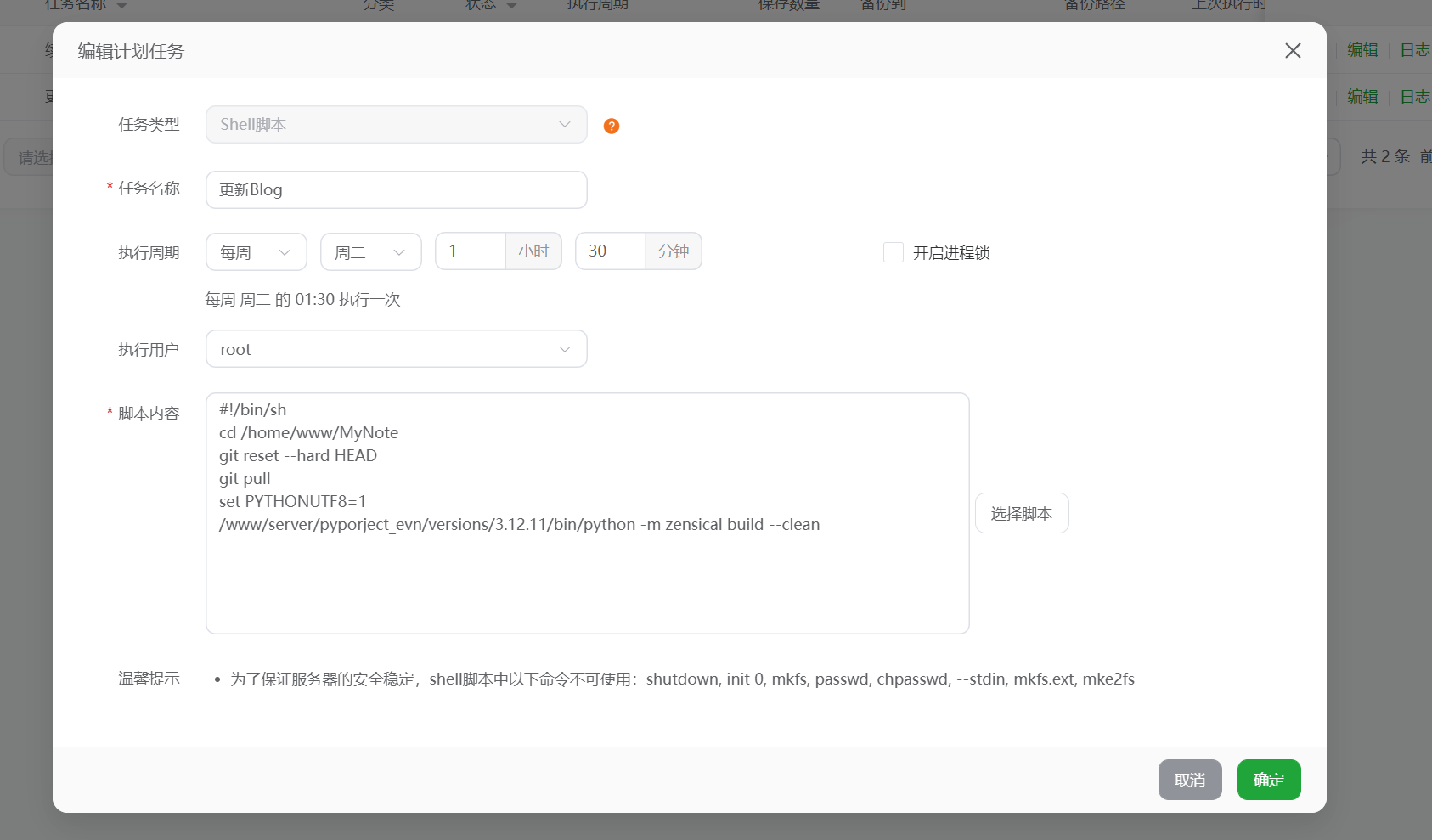
方式一:服务器定时更新
#!/bin/sh
cd /home/www/MyNote
git reset --hard HEAD
git pull
set PYTHONUTF8=1
/www/server/pyporject_evn/versions/3.12.11/bin/python -m zensical build --clean
方式二:Github Actions 推送到服务器
导出当前环境。
如需升级 zensical 版本需要重新导出环境。
workflows
jobs:
  notes:
    runs-on: ubuntu-latest
    steps:
      - name: Set up SSH for private submodules
        run: |
          mkdir -p ~/.ssh
          echo "${{ secrets.GH_SSH_KEY }}" > ~/.ssh/id_rsa
          chmod 600 ~/.ssh/id_rsa
          ssh-keyscan github.com >> ~/.ssh/known_hosts
          git config --global url."git@github.com:".insteadOf "https://github.com/"
      - uses: actions/checkout@v4
        with:
          submodules: recursive
      - name: Update submodules to latest remote commit
        run: |
          git submodule foreach git fetch origin
          git submodule foreach git reset --hard origin/HEAD
      - name: Prepare notes content
        run: |
          mkdir -p site-notes.beyondxin.top/docs
          cp -r MyNote/.space site-notes.beyondxin.top/docs/
          cp -r MyNote/Qt site-notes.beyondxin.top/docs/
          cp -r MyNote/VTK site-notes.beyondxin.top/docs/
          cp -r MyNote/C++ site-notes.beyondxin.top/docs/
          cp -r MyNote/开源库 site-notes.beyondxin.top/docs/
          cp -r MyNote/编程 site-notes.beyondxin.top/docs/
          cp -r MyNote/运维 site-notes.beyondxin.top/docs/
          cp -r MyNote/系统 site-notes.beyondxin.top/docs/
          cp -r MyNote/我的项目 site-notes.beyondxin.top/docs/
      - name: Set up Python
        uses: actions/setup-python@v5
        with:
          python-version: "3.13"
      - name: Build notes.beyondxin.top
        run: |
          cd site-notes.beyondxin.top
          python -m pip install -r requirements.txt
          python script/rebuild_nav.py
          python -m zensical build --clean
      - name: Upload notes.beyondxin.top
        uses: appleboy/scp-action@master
        with:
          host: ${{ secrets.SSH_HOST }}
          username: ${{ secrets.SSH_USER }}
          key: ${{ secrets.SSH_KEY }}
          port: ${{ secrets.SSH_PORT }}
          source: "site-notes.beyondxin.top/site/*"
          target: "/home/www/html/notes.beyondxin.top"
          strip_components: 2
          overwrite: true
3 辅助脚本
3.1 手动排序
解析 obsidian 中 MAKE.md 插件排序
import os
import sqlite3
import re

db_name = '.space/context.mdb'
base_directory = './docs/'
ignore_directory = ["模板", "Blog", "读书笔记"]
toml_path = './zensical.toml'


def get_context_bt_db(path):
    db_path = path + db_name
    if not os.path.exists(db_path):
        return []
    conn = sqlite3.connect(db_path)
    cursor = conn.cursor()
    cursor.execute("SELECT File FROM files")
    file_list = [row[0] for row in cursor.fetchall()]
    conn.close()
    return file_list


def get_page_tree(relative_path=""):
    page_tree = []
    order_tree = get_context_bt_db(base_directory + relative_path)
    for key in order_tree:
        if key in ignore_directory:
            break
        if key.endswith('.md'):
            page_tree.append(key)
        else:
            subtree = get_page_tree(key+"/")
            if subtree:
                page_tree.append({key.split('/')[-1]: subtree})
    return page_tree


def format_nav_tree(tree, indent=1):
    """将导航树格式化为 TOML 字符串"""
    lines = []
    indent_str = "    " * indent

    for item in tree:
        if isinstance(item, str):
            lines.append(f'{indent_str}"{item}",')
        elif isinstance(item, dict):
            for key, value in item.items():
                lines.append(f'{indent_str}{{ "{key}" = [')
                lines.extend(format_nav_tree(value, indent + 1))
                lines.append(f'{indent_str}] }},')

    return lines


# 生成导航树
nav_tree = get_page_tree()


# 格式化为 TOML 字符串
nav_lines = ["nav = ["]
nav_lines.extend(format_nav_tree(nav_tree))
nav_lines.append("]")
new_nav_content = "\n".join(nav_lines)

# 读取原文件
with open(toml_path, 'r', encoding='utf-8') as f:
    content = f.read()

# 使用正则表达式替换 nav 部分
# 匹配从 nav = [ 到对应的 ] 结束
pattern = r'nav = \[.*?\n\]'
new_content = re.sub(pattern, new_nav_content, content, flags=re.DOTALL)

# 写回文件
with open(toml_path, 'w', encoding='utf-8') as f:
    f.write(new_content)

print(f"导航已更新到 {toml_path}")